

AvailabilityFiltering requests from mobile app requires Android SDK v2.4.0+ and iOS SDK v2.4.0+
Configuration
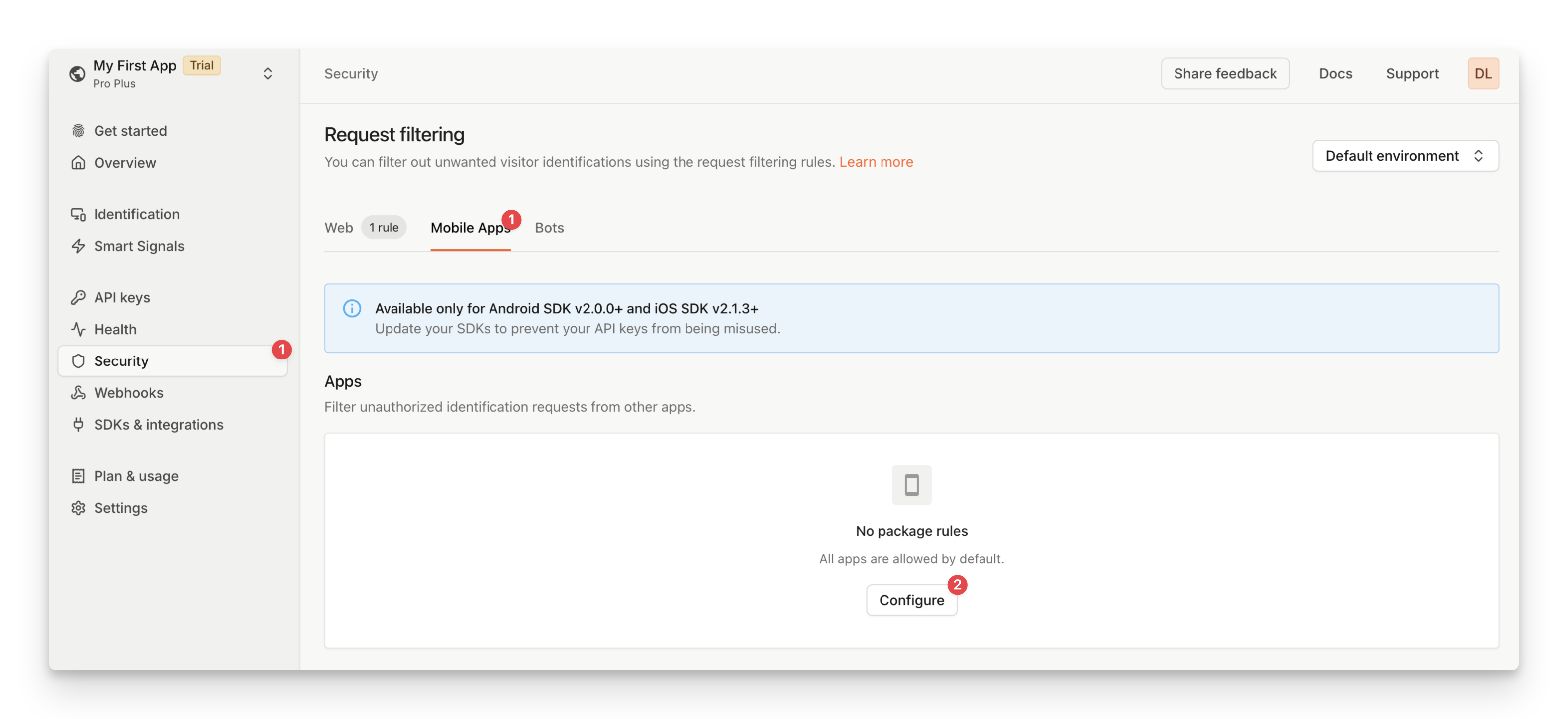
You can create mobile request filtering rules from the Fingerprint dashboard by specifying the package names (Android) or bundle IDs (iOS) of the blocked or allowed applications.- Navigate to the Dashboard > Security > Mobile Apps.
- Click Configure.
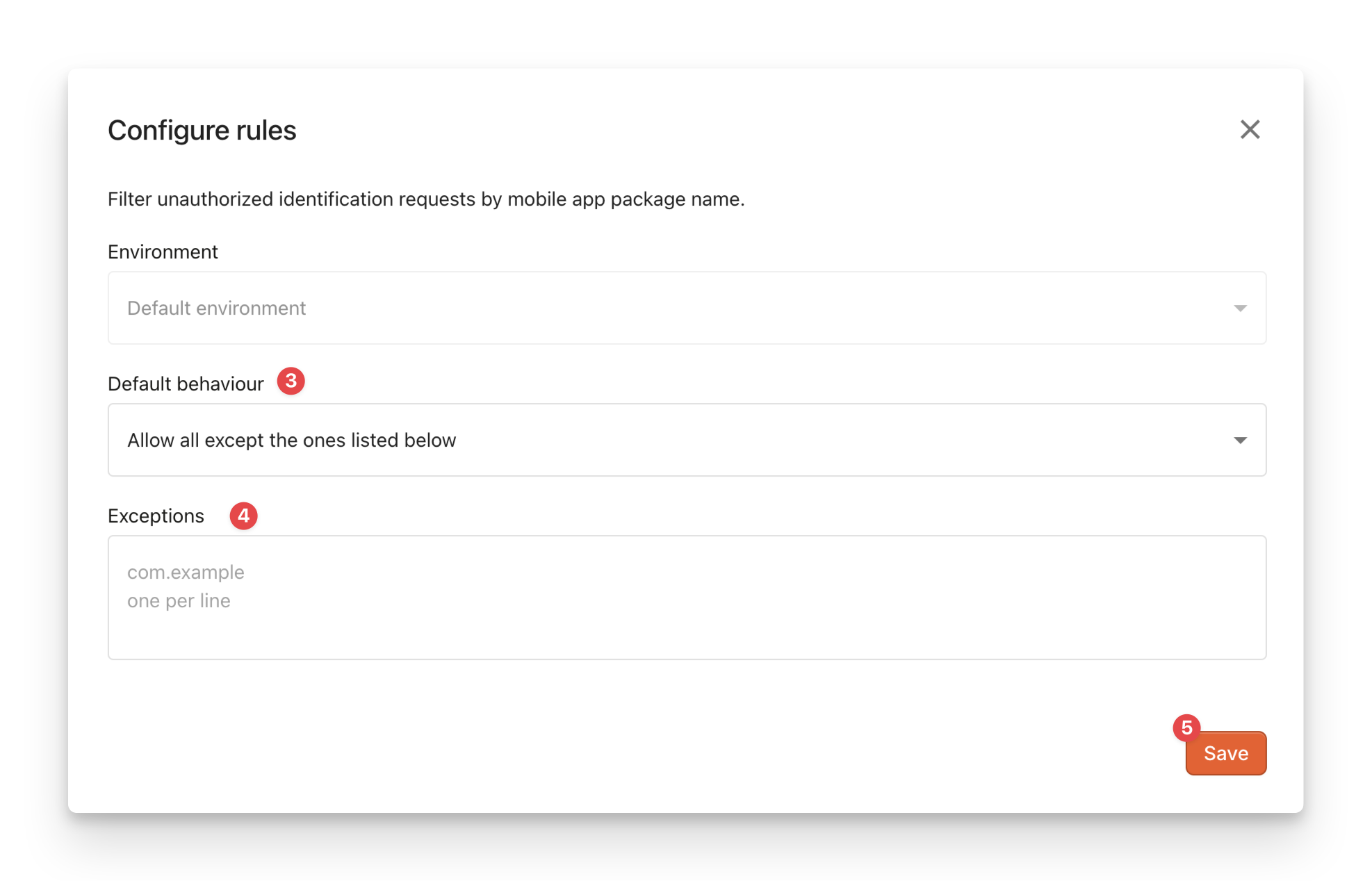
- Choose the Default behavior:
Allow all except the ones listed below: Fingerprint will block the specified apps from making identification requests. Requests from all other apps will be allowed.Forbid all except the ones listed below: Fingerprint will allow only the specified apps to make identification requests. Requests from all other apps will be blocked.
- Fill in the Exceptions with the package names (Android) or bundle IDs (iOS) of the mobile app you want to allow or block. Wild cards are accepted.
- Click Save.
Error handling
Filtered-out requests are not billed and will receive aPackageNotAuthorizederror instead of the identification result.
For more information on handling errors, see Handling errors in Android SDK and Handling errors in the iOS SDK.